On this page5 stops
Quick answer
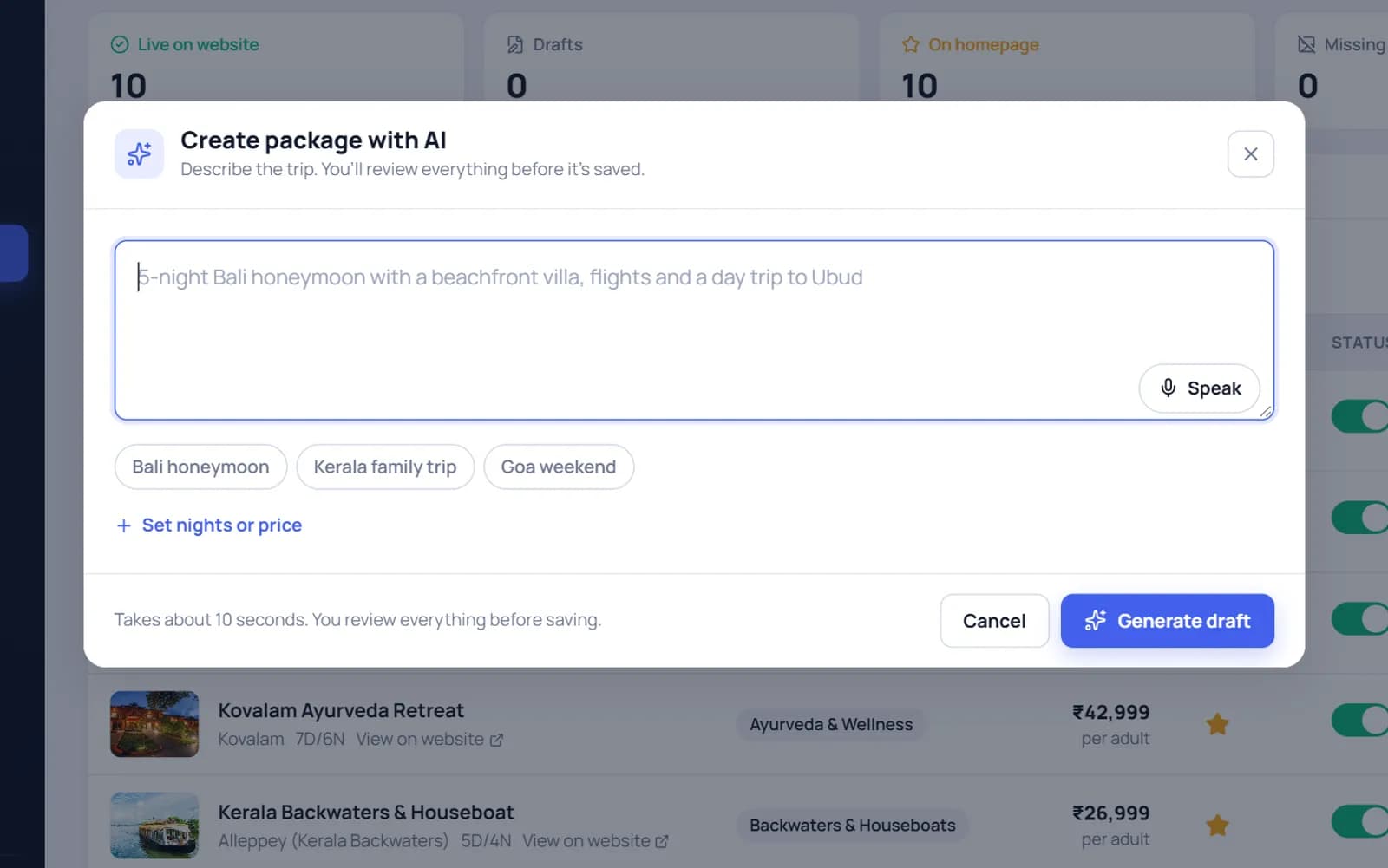
Tour package and booking management software lets you build packages once (itinerary, prices for adults, children and infants, inclusions, photos), publish them on your website, quote from them, and track each booking’s payments. Look for an itinerary builder, per-traveller pricing, PDF brochures, quote-from-package and paid-versus-due tracking. Tripluka includes all of these free, plus an AI builder that drafts a package from one sentence.
Key takeaways
- Build each package once and reuse it on the website, in quotes and in brochures.
- Price adults, children and infants separately; it avoids awkward re-quotes.
- Itineraries should be day by day and easy to reorder.
- Bookings need total, paid and balance due on one screen.
- AI drafting saves the blank-page time; you still check every price.
What tour package management software does
It is the place your trips live. A package holds everything a traveller and your team need: the title, duration, day-by-day plan, what is included, prices and photos. Good software uses that one record in four places: your website, quotations, brochures and bookings.
The checklist: 12 features that matter
| Feature | Why it matters | |
|---|---|---|
| 1 | Day-by-day itinerary builder | Travellers decide on the itinerary, not the title |
| 2 | Adult, child and infant prices | Families are your biggest segment |
| 3 | Discount or offer price | Run seasonal offers without editing every package |
| 4 | Inclusions and exclusions | Prevents disputes about what was promised |
| 5 | Photo gallery with alt text | Better pages and image search traffic |
| 6 | Categories and destinations | Drive your website menus and filters |
| 7 | Per-package SEO fields | Each trip can rank for its own search |
| 8 | PDF brochure | Send on WhatsApp before a call |
| 9 | Quote from package | Prices and itinerary pre-filled |
| 10 | Booking from quote | No retyping the customer |
| 11 | Paid and balance due | Know who still owes what before departure |
| 12 | Reports by package | See which trips actually sell |
Your options
TriplukaOur product
Free package, quote and booking management with a website attached
Best for Agencies and tour operators that sell fixed and custom packages
Pros
- AI package wizard from a typed or spoken brief
- Adult, child and infant pricing with offer prices
- PDF brochures and per-package SEO
- Quotes and bookings from the same package
- Free online payments through Stripe, PayPal or Razorpay
Cons
- No supplier inventory or live hotel rates
- No departure-date seat inventory for fixed group tours yet
Booking platforms for activities (FareHarbor, Rezdy, Bókun)
Built for day tours and time slots
Best for Operators selling daily tours and activities with fixed slots
Pros
- Slot calendars and capacity
- Online checkout
- Reseller channels
Cons
- Per-booking fees or monthly plans
- Not built for multi-day custom packages
- Quotes and itineraries are limited
Enterprise tour operator systems
Inventory, contracting and supplier management for big operators
Best for Inbound DMCs and large operators with contracted hotels
Pros
- Supplier contracts and allotments
- Multi-currency costing
- Back-office accounting
Cons
- Expensive and slow to set up
- Heavy for small teams
How to set up your packages properly
- Start with the seven trips you sell most. Don’t migrate everything at once.
- Name them the way people search: “Kerala Honeymoon Package 5 Nights” beats “Magical Kerala Escape”.
- Write each day with places, travel time and stay. Keep supplier names out of public text.
- Price clearly: per adult on twin sharing, plus child and infant prices.
- List inclusions and exclusions in short lines: “Breakfast and dinner”, “Airfare not included”.
- Fill the SEO title and description using the search phrase.
- Publish and test: open the package on your phone and send an enquiry from it.
Add a tour package step by step, build one from a voice brief with the AI package builder, export a PDF brochure and see it live on your travel website.
Want the full writing method? Read how to write tour package descriptions that sell and how to price a tour package.
Questions agents ask
What is tour package management software?
Software that stores your tour packages (itinerary, prices, inclusions, photos) and uses them on your website, in quotations and in bookings.
What is the best tour package and booking management software?
For agencies selling multi-day packages, pick one with an itinerary builder, per-traveller pricing, quote-from-package and payment tracking. Tripluka does this free; activity platforms like FareHarbor suit time-slot day tours.
Can AI create tour packages?
Yes. Tripluka’s AI wizard drafts the title, description, itinerary, pricing and inclusions from a one-line brief. Always review prices and details before publishing.
Can I make a PDF brochure of my package?
Yes. Tripluka generates a downloadable PDF brochure from each package page.